The Official San Diego Theatres App

Get The App Today and save time at your next Civic or Balboa Theatre event!
TAP BELOW TO DOWNLOAD NOW


Enjoy convenient features all at your fingertips including:
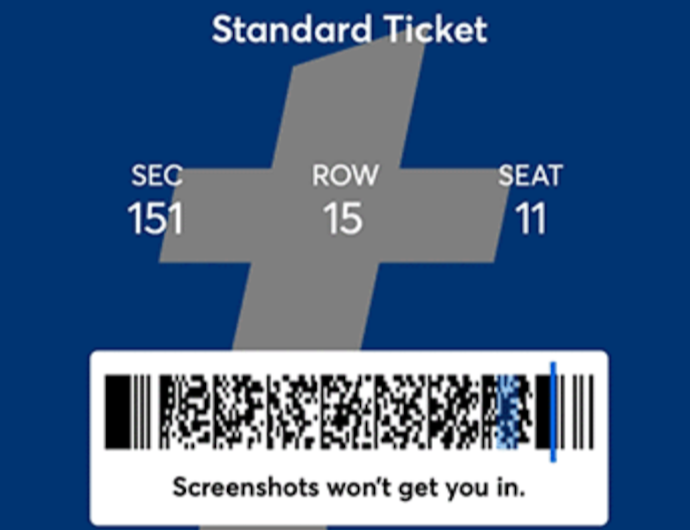 |
Access your show tickets (Exclusions apply for select events & ticket packages) |
 |
Pre-order food and drinks, whether days in advance or on-site at the theatre |
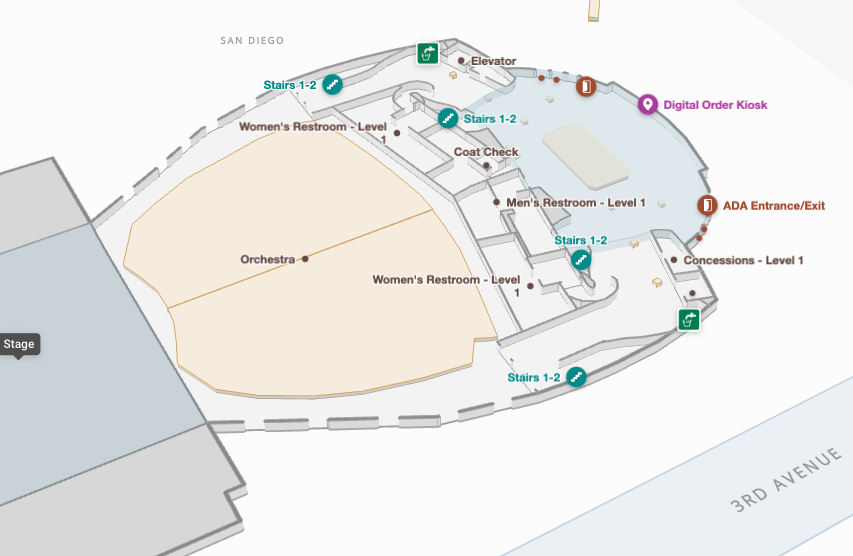 |
Navigate our theatres with Interactive Venue Maps and wayfinding recommendations |
 |
Many additional resources to help you plan your visit, discover new events or stay connected |
Viewing on Desktop?
Simply scan the Onelink QR code below with your mobile phone and you'll be directed to your device's corresponding app store.

Share Your Feedback
We'd love to hear your thoughts on our new mobile app. Share your feedback through a short survey to help us improve the experience.
Frequently Asked Questions
What is the San Diego Theatres app?
The San Diego Theatres app helps you manage your visit with features including access to your individual show tickets, food and beverage mobile ordering, interactive maps and more.
Is the app free to download?
Yes, the San Diego Theatres app is free to download and use.
Where can I download the app?
The app is available on the App Store and Google Play, or by clicking here.
Can I access my tickets in the app?
Yes, your individual show tickets can be directly accessed through the app.
Tickets purchased as part of season packages for our resident partners such as Broadway San Diego, La Jolla Music Society and San Diego Opera cannot be accessed through the San Diego Theatres app.
Can I access my season tickets in the app?
No, only your individual show tickets can be directly accessed through the app.
Tickets purchased as part of season packages for our resident partners such as Broadway San Diego, La Jolla Music Society and San Diego Opera cannot be accessed through the San Diego Theatres app.
Do I still need to print my tickets?
No. You can present your digital ticket in the app for entry to the theatre.
I can't find my tickets. What should I do?
Ensure you're signed in with the same account used to purchase your tickets. If you're still having trouble, contact Ticketing for assistance.
Can I order food and beverages through the app?
Yes. The app allows you to pre-order select food and beverage items before arriving or during your visit.
How does mobile ordering work?
In the San Diego Theatres app, go to Food & Drinks on the home screen and select the venue you are visiting. For most events, you can pre-order your food and beverage in the days leading up to the show. You can also order onsite, up to two hours before doors open to the theatre. Select the correct option and the show you are attending to browse available menus.
You can choose your pick-up location at Civic Theatre events, and the time for your order to be picked up before the show begins or during intermission (when applicable).
Please note: You must have an EasyPay account to complete and manage your orders.
Will my mobile order be delivered to my seat?
No, there is no in-seat food and beverage delivery.
You can select your pick-up location at Civic Theatre events, and the time for your order to be picked up before the show begins or during intermission (when applicable).
What other options do I have for mobile ordering?
In addition to ordering food and beverages through the San Diego Theatres app, we have self-serve kiosks available throughout the Civic Theatre to expedite your ordering experience.
Pick-up locations are located in the Grand Salon on Level 2 and in the Balcony on Level 4.
Do I need an account to use the app?
Some features may be available without signing in, while others, such as ticket access and mobile ordering, require an account.
What devices are supported?
The app is available for most current iOS and Android devices. Users with older operating systems may experience limited functionality or performance.
Who do I contact for help with the app?
For app performance issues, click on the gear icon on the home screen, find the Contact Us button, and submit your concerns there.
For assistance with tickets, account access or technical issues, contact Ticketing or a theatre usher if at the venue.